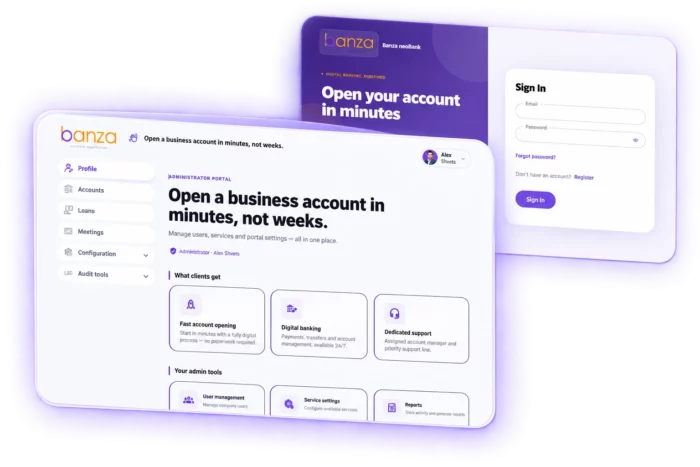
Banza ePortal Banking Edition
Onboard corporate clients 24/7, without a branch

-
Acquire and serve corporate customers through one digital portal
A retail customer can open an account on a phone in minutes. For a company, opening that same account can still mean a printed document package, a branch visit and days of waiting. And it is only the beginning — a new director, an updated registration document, a new signatory or a financing request can send the company back to the same branch.
Banza ePortal — Banking Edition removes these barriers across the entire corporate customer lifecycle — from digital onboarding and account opening to financing requests, signatory verification, document management and ongoing account changes.
Let businesses become your customers 24/7 — without a branch visit. Applications arrive structured, flow directly into the bank’s CRM and automatically trigger the right business process, reducing manual work and speeding up onboarding.
Compliance workflows can be configured for each jurisdiction. The portal integrates natively with Creatio and exposes every function through an API, allowing it to connect to other CRM/BPM platforms or the bank’s existing systems.
Attract more corporate customers. Serve them digitally from day one.
Problems Banza ePortal solves for banks
Corporate banking still runs on branch visits and manual processing — Banza ePortal moves the whole journey online, from acquisition and onboarding to ongoing service.
-
Corporate customers expect 24/7 banking. Branches set the pace.
A company ready to switch banks on Sunday will not wait until Monday.
→ The portal is open 24/7 to existing and prospective corporate customers, turning digital onboarding into an acquisition channel. -
Opening a corporate account still means going to a branch
Paper documents, wet signatures and in-person verification create friction at the exact moment a client is deciding.
→ Automatic data retrieval, qualified electronic signatures and remote video identification let companies open accounts without setting foot in a branch. -
Employees retype data that already exists in public registries
Manual entry produces errors, adds processing cost and slows down every application.
→ Applications are pre-filled from company registration data, so the client confirms rather than types. -
Unstructured applications create manual work across the bank
Scanned documents and email attachments have to be moved between systems before anyone can start processing them.
→ Structured applications flow directly into the bank’s CRM, trigger the right business process automatically and return statuses to the portal. -
Every change after onboarding sends the customer back to the branch
A new director, updated registration data or a new account signatory restarts a paper process for a company that is already a client.
→ Corporate customers manage company and account changes in the same portal they used to open the account. -
Regulatory changes turn into development projects
Each new compliance requirement means another development cycle, another budget and weeks of waiting.
→ Business users configure forms and compliance workflows without code, adapting the portal to new regulatory requirements themselves. -
Long onboarding forms lose qualified prospects
Complex steps, unclear document requirements and no guidance turn an interested company into an abandoned application — and the bank never finds out why.
→ Progress indicators, step-by-step structure, inline guidance and validation keep companies moving to submission. -
Building a corporate portal in-house is more than a development project
Security, compliance, integrations, business processes and customer experience each add cost that rarely appears in the original estimate.
→ Banza ePortal provides a production-ready framework that can be integrated with Creatio, other CRM/BPM platforms or the bank’s existing systems.
Use cases across the corporate customer lifecycle
Acquisition & digital onboarding
Turn corporate onboarding into a digital acquisition channel — from the first application to an active business account.
🟣 Digital onboarding for prospective and existing corporate customers
🟣 Online corporate account opening for legal entities
🟣 Multi-currency corporate account opening
🟣 Automatic company data retrieval from business registries
KYC, AML & compliance
Build compliance into the corporate account opening process instead of adding it as a separate manual step.
⚪ UBO and beneficial ownership disclosure
⚪ AML and sanctions screening with EDD flagging
⚪ FATCA and CRS tax residency forms
⚪ Remote video KYC and identity verification
Corporate lending & financing
Let corporate customers apply for financing, submit documents and track requests digitally — without a branch visit.
🟣 Preliminary financing and loan decision requests
🟣 Digital corporate loan applications
🟣 SME and agribusiness lending applications
🟣 Financial document collection and submission
Ongoing corporate account management
Keep corporate banking digital after onboarding — from company data updates to changes in account representatives.
⚪ Corporate account management and data updates
⚪ Managing director and registration data changes
⚪ Changes in account representatives
⚪ Representative re-verification
Key features of Banza ePortal Banking Edition
Online corporate account opening
Legal entities complete the full application online, from registration code to account details, in a single session — with company data pre-filled from national business registries.
Built-in AML and compliance screening
Sanctions screening, Enhanced Due Diligence flagging, UBO disclosure and FATCA/CRS tax residency forms are part of the application itself, not a manual step after it.
Remote video KYC
Signatories book a verification session from real-time manager availability and confirm their identity without visiting a branch.
Qualified electronic signature
Corporate documents and financing applications are signed digitally, accelerating the bank-side review.
Digital corporate financing
Companies request preliminary decisions, submit loan applications with financial documents and track the outcome in the same portal.
Post-onboarding account management
Registration data updates, managing director changes and changes of account representatives stay digital after the account is open.
Native Creatio integration
Applications transfer to Creatio as structured data, trigger the right business process, receive a manager and return statuses to the portal.
Full REST API coverage
Every portal function is available through the API, so the portal connects to any CRM, BPM or core banking system without platform lock-in.
No-code compliance configuration
Business users adapt forms and compliance workflows to new regulatory requirements themselves, per jurisdiction, without involving developers.
White-label interface
The portal ships with a finished design and can be rebuilt from the bank’s design system or Figma layouts.
Inside Banza ePortal Banking Edition
Three modules. One corporate customer account.
Banza ePortal connects key corporate banking interactions in one digital portal. All three modules use the same corporate customer account, company identification and Creatio integration — creating a connected experience across the corporate customer lifecycle without separate applications for each process.
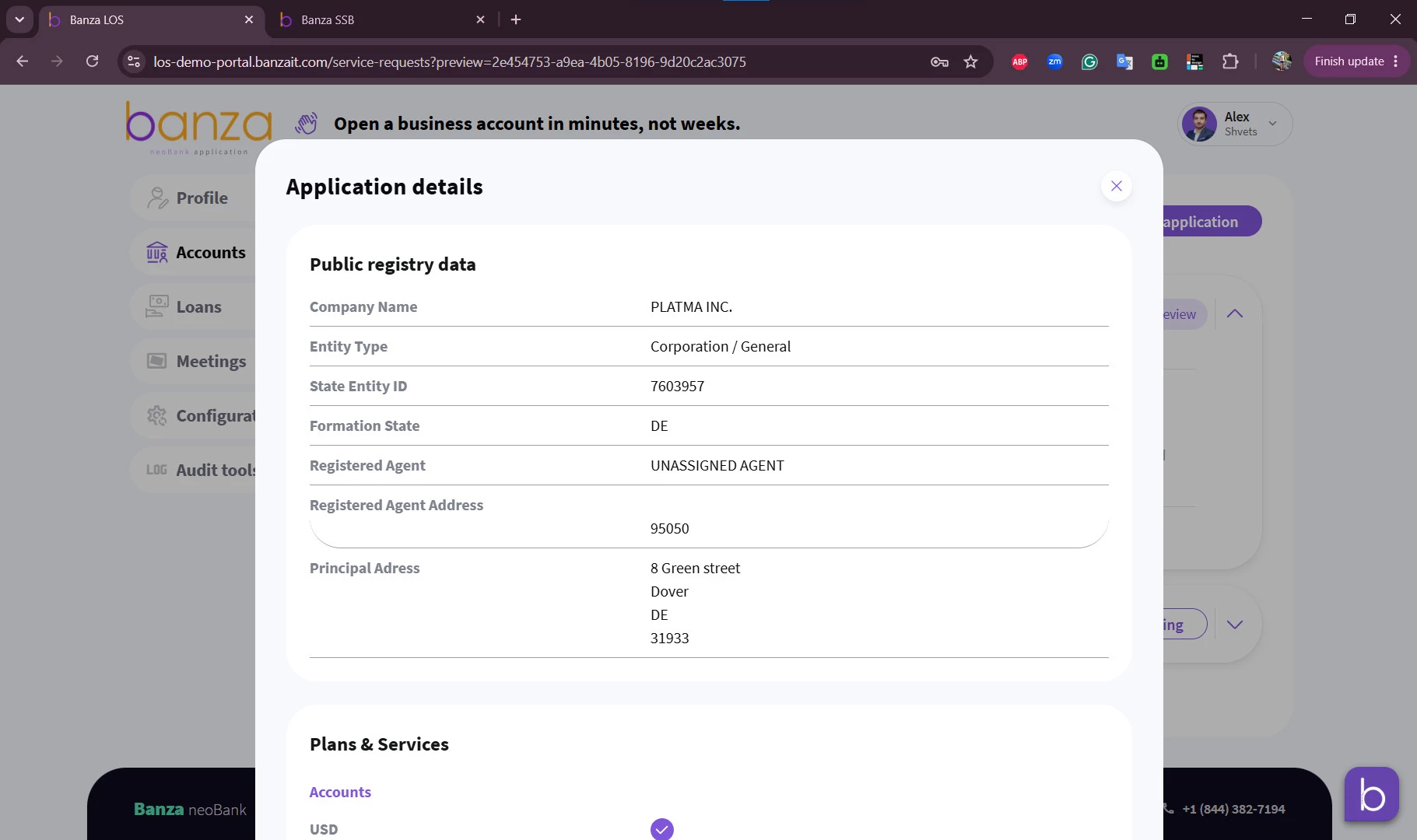
Module 1 — Online corporate account opening
A guided wizard that takes a company representative from registration code to account details in a single session.
- Company data, retrieved not typed. The representative enters the company’s registration code and the portal pre-fills the application from the national business registry — legal address, status, director, business activity.
- Identity documents pulled from government services. Integration with national digital identity services retrieves identification documents and transfers them securely to the bank.
- Branch selection on a live map. The servicing branch is chosen on an interactive map interface, not from a dropdown of 400 addresses.
- Multi-currency accounts and live tariff comparison. First account in the base currency, additional currencies selected separately, optional payroll tax account, tariff plans presented as an interactive carousel and changeable after opening.
- Ownership captured as structured data. Sole or collegial executive body, founders and ultimate beneficial owners as individual cards with tax number, position and ownership share.
- Signatory roles with proof of authority. First signatory, second signatory and account manager, each with the orders, minutes or powers of attorney that confirm the mandate.
- A document package that arrives complete. Separate upload slots per constitutional document instead of one generic file — fewer incomplete submissions, fewer round trips.
- Account details on the spot. After submission the client immediately receives the account details and tracks the application status in real time.
Module 2 — Corporate loan applications
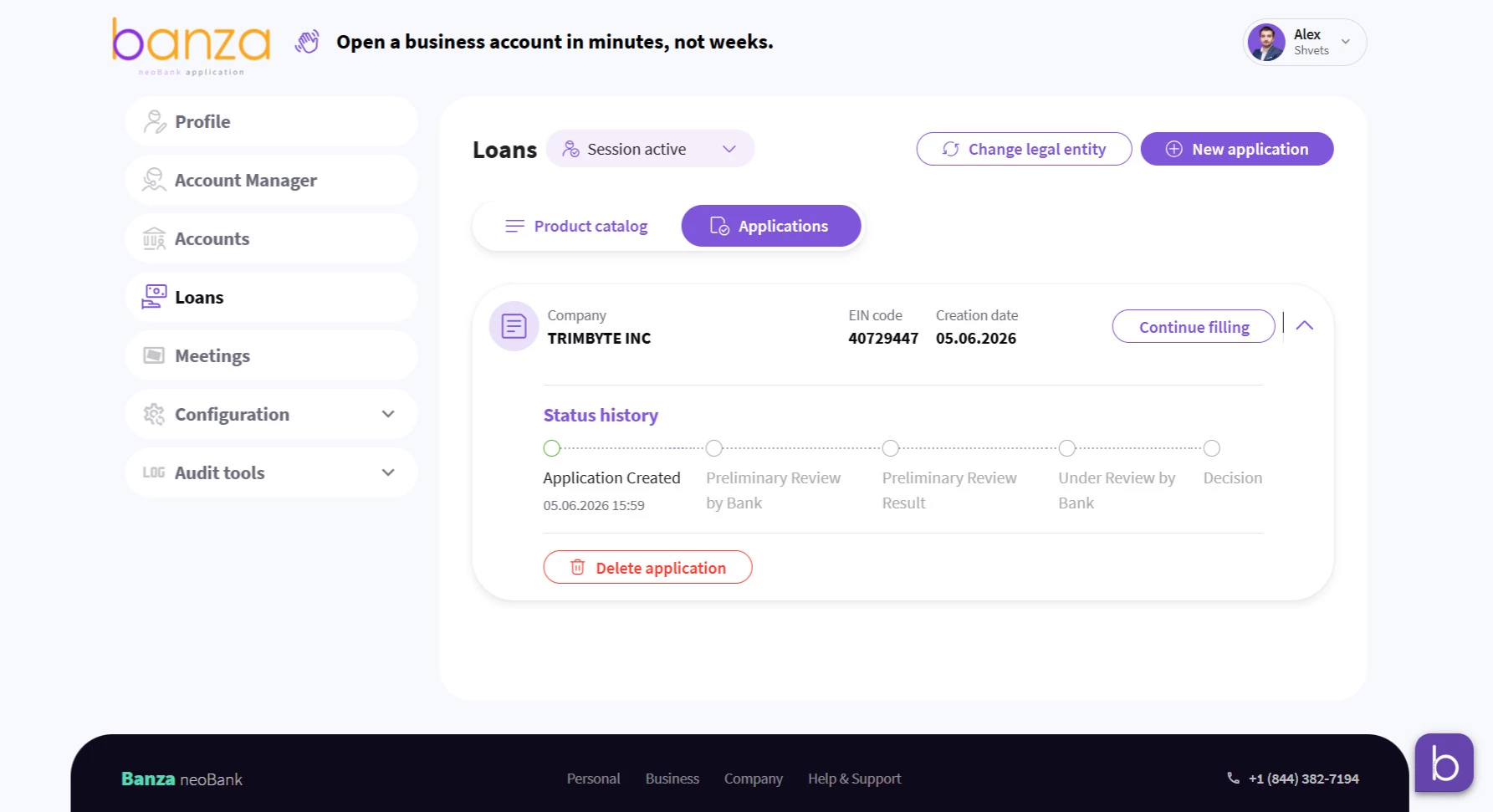
Digital corporate financing in the same portal — from a preliminary decision to a signed application.
- A preliminary decision before the paperwork. The client requests an initial financing decision, then completes a full loan application — no branch visit at either stage.
- Applications shaped by lending segment. Parameters adapt to the segment — agribusiness or general SME — and the application is signed with a qualified electronic signature.
- One channel to the bank. Financial documents, application status and correspondence with the relationship manager in one place, instead of email and phone calls.
Module 3 — Video KYC verification
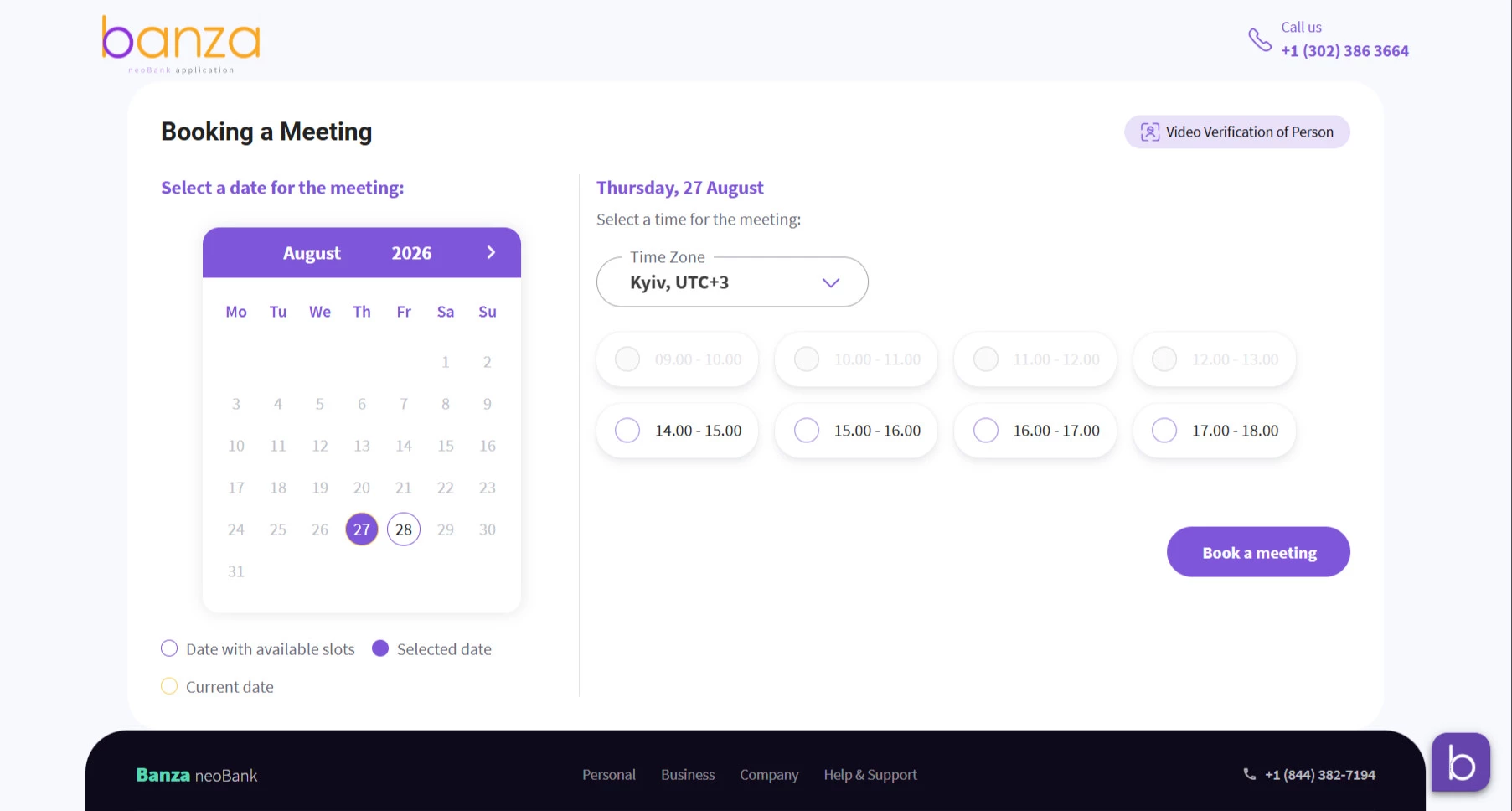
The step that historically forced someone into a branch — now booked from a phone.
- Booking that reflects reality. Available slots are aggregated in real time from bank managers’ calendars, so the client picks a time that actually exists.
- Zero coordination overhead. On confirmation, the system generates the video session link automatically and sends it to the client together with a verification guide.
- From a smartphone, not a branch. Legal entity representatives complete a five-step guided flow from preparation to a finished session.
- Onboarding and beyond. Used both by new prospects during onboarding and by existing customers when account representatives change.

 Lilia Lazepko, Member of the OTP Bank Board of Directors, responsible for the Operations and IT business line